
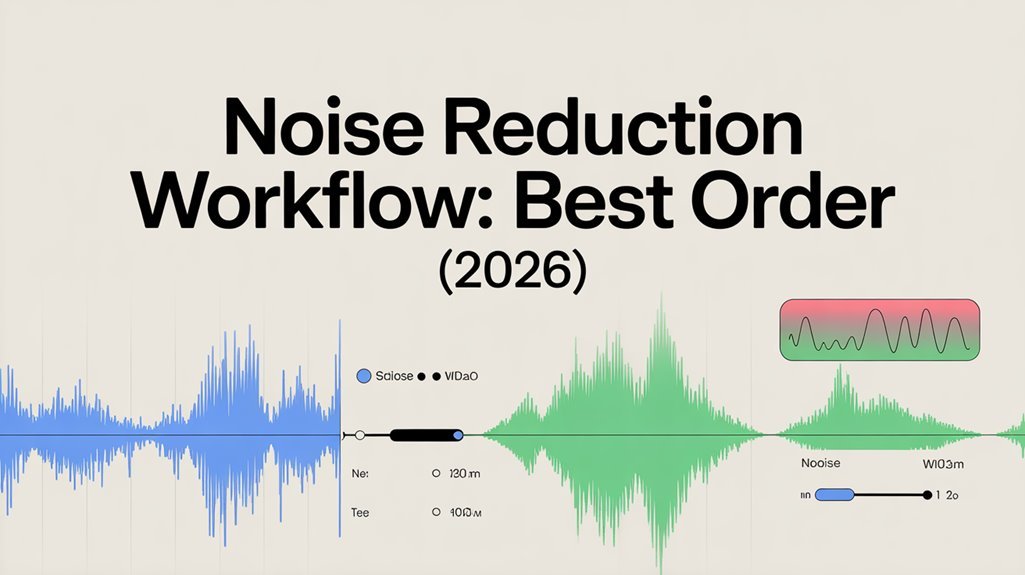


To achieve the best noise reduction results, start by understanding different noise types and preparing your audio. Conduct an initial assessment to identify sources of unwanted noise. Then, apply noise reduction techniques, focusing on EQ and frequency management to clean up the audio. Finalize your mix by balancing elements and checking against reference tracks. Quality control is essential, so review your output and gather feedback to guarantee clarity and impact. Continue on for more detailed strategies.
Table of Contents
Key Takeaways
- Conduct an initial noise assessment to identify and document noise types before starting the reduction process.
- Prepare your audio by ensuring clarity and assessing the quality of the recordings prior to applying noise reduction techniques.
- Utilize noise reduction software and techniques, such as filters and spectral editing, to effectively target and minimize unwanted noise.
- Finalize your mix by confirming balance, volume levels, and dynamics before proceeding to the mastering phase for enhanced clarity.
- Test the final output on various playback systems to ensure consistent sound quality and make adjustments as necessary for optimal performance.
Understanding Noise Types
When you immerse yourself in noise reduction, it’s crucial to understand the different types of noise you might encounter.
White noise creates a steady sound that masks other noises, while ambient noise refers to the background sounds in a specific environment.
Signal noise disrupts the clarity of your audio, whereas background noise can distract from the main content.
Electronic noise, often generated by devices, can interfere with audio quality.
Mechanical noise comes from moving parts, and thermal noise occurs due to temperature fluctuations.
Finally, impulse noise consists of sudden, sharp sounds that can be jarring. Understanding these different types of noise helps you effectively target and reduce unwanted noise in your projects, enhancing overall audio quality.
Preparing Your Audio
Before you tackle noise reduction, you need to assess your audio quality.
Take a moment to identify the noise sources that might be affecting your recording.
This step is essential for effectively preparing your audio for the next stage of your workflow. Additionally, consider utilizing software solutions that can streamline your noise reduction process and enhance your audio quality.
Assessing Audio Quality
Evaluating audio quality is essential for achieving a polished final product. You should focus on audio clarity metrics, guaranteeing your recordings are clear and free from distortion. Pay attention to listener feedback, as it provides valuable insights into how your audience perceives the audio. Use the following table to assess key aspects of your audio quality effectively:
| Metric | Description | Importance |
|---|---|---|
| Clarity | Measures how clearly audio is heard | Guarantees listener engagement |
| Frequency Response | Range of audible frequencies | Affects overall sound quality |
| Dynamic Range | Difference between soft and loud sounds | Prevents distortion |
Identifying Noise Sources
To achieve high-quality audio, you need to pinpoint the sources of noise that can compromise your recordings. Start by considering environmental factors like background chatter, traffic, or air conditioning units that can intrude on your sound.
Identify times when these noises are more prevalent, and plan your recording sessions accordingly. Next, examine your equipment settings. Verify that your microphone is positioned correctly and that gain levels are balanced to minimize unwanted noise capture.
If you’re using multiple devices, check for any interference that could introduce hiss or hum. By addressing these sources early in the process, you’ll set yourself up for a cleaner audio track, making your noise reduction workflow much more effective.
Initial Noise Assessment
As you begin the initial noise assessment, identifying the sources and types of noise is vital for effective reduction strategies.
Start by conducting a thorough audio analysis of your recordings. This involves listening carefully to pinpoint specific noise profiles, such as hums, hisses, and background chatter.
Utilize software tools to visualize the audio waveform and frequency spectrum, which can help you identify problematic frequencies and patterns.
Take notes on the characteristics of each noise type, noting their intensity and duration. This detailed assessment will guide your decisions in the following steps of the noise reduction workflow, allowing you to develop tailored strategies that effectively target the identified issues.
A clear understanding of the noise landscape is essential for successful outcomes. Additionally, leveraging automation and analytics tools can streamline your workflow and enhance your noise reduction efforts.
Noise Reduction Techniques
While you’ve identified the noise types in your recordings, choosing the right noise reduction techniques is essential for enhancing audio quality. You can apply various noise reduction methods, such as spectral editing, noise gates, and dynamic range compression. Each method has its strengths and weaknesses, so understanding their applications is key. Additionally, knowing the common web error of “page not found” can help you troubleshoot issues in your audio projects.
| Noise Reduction Method | Description | Best Use Case |
|---|---|---|
| Spectral Editing | Visualizes noise for precise cuts | Removing specific frequencies |
| Noise Gates | Silences audio below a threshold | Eliminating background hum |
| Dynamic Range Compression | Reduces volume fluctuations | Balancing inconsistent levels |
EQ and Frequency Management
Understanding EQ and frequency management can markedly enhance your audio productions, as it allows you to sculpt the sound to fit your vision.
Start by focusing on frequency balancing; make certain each element in your mix occupies its own sonic space. Use EQ shaping to boost or cut frequencies strategically, enhancing clarity and separation.
For instance, if vocals feel muddy, try cutting some low frequencies while boosting the presence range. Always listen critically, adjusting as needed to create a more polished sound. Additionally, employing automation tools in your workflow can significantly streamline the mixing process and improve overall results.
Finalizing Your Mix
Once you’ve sculpted your sound with EQ and frequency management, it’s time to focus on finalizing your mix.
Start by confirming mix balance; every element should sit well alongside each other without overpowering. Pay attention to volume levels and panning to create a cohesive soundstage.
Use automation to enhance dynamics and make certain shifts feel smooth. Once you’re satisfied with the mix balance, prepare for the mastering process.
This step brings your track to its final form, enhancing overall loudness and clarity. Consider using reference tracks to guide your decisions, aiming for that polished sound you hear in professional recordings.
To make informed decisions during this process, it’s essential to remember the importance of user empowerment in achieving a professional mix. Trust your ears, make adjustments as needed, and get ready to present your music to the world.
Quality Control and Review
Now that you’ve finalized your mix, it’s essential to monitor noise levels and evaluate the final output.
This step guarantees you catch any lingering issues that could affect the quality of your work.
Let’s explore how to effectively assess what you’ve created.
Monitoring Noise Levels
As you commence your noise reduction workflow, monitoring noise levels becomes essential for maintaining quality control and ensuring ideal results.
By implementing effective monitoring techniques, you can identify and address issues before they escalate. Here are some key practices to evaluate:
- Use noise meters to gauge sound levels accurately.
- Regularly check for any unexpected spikes in noise.
- Compare different monitoring techniques for effectiveness.
- Maintain consistent monitoring throughout the process.
- Document findings to track progress and improvements.
Evaluating Final Output
How can you guarantee that your final output meets the highest standards of quality? Start by conducting an output comparison with your original recordings. This helps you identify any unwanted noise that may still linger.
Next, gather listener feedback from a diverse group to get fresh perspectives on your work. Encourage them to share their thoughts on clarity, balance, and overall impact. Use their insights to pinpoint areas for improvement.
Don’t hesitate to make adjustments based on their feedback, and remember to test the output on different playback systems to verify consistency. By following these steps, you’ll not only enhance the quality of your final output but also boost your skills as an audio creator.
Frequently Asked Questions
What Software Tools Are Best for Noise Reduction?
For noise reduction, you’ll find tools like iZotope RX and Waves NS1 effective. These digital plugins enhance auditory perception, helping you achieve clearer sound by minimizing unwanted noise without sacrificing audio quality.
How Can I Prevent Noise Issues During Recording?
To prevent noise issues during recording, focus on proper microphone placement and control your environment. Position the mic away from noise sources and use soundproofing techniques to minimize unwanted sounds for clearer audio.
What Is the Difference Between Noise Reduction and Noise Gating?
Noise reduction makes your audio pristine, eliminating unwanted sounds for pure sound clarity, while noise gating acts like a superhero, silencing everything below a set level. Both boost audio fidelity, but they tackle noise differently.
Can Noise Reduction Affect the Overall Audio Quality?
Yes, noise reduction can impact overall audio quality. If not applied carefully, it may introduce noise artifacts that compromise audio clarity. Balancing reduction with preservation guarantees you maintain the integrity of your sound.
How Do I Know When to Stop Reducing Noise?
You know to stop reducing noise when your threshold settings balance clarity and background sound. Conduct listening tests to guarantee the audio remains natural and free from artifacts, maintaining the integrity of your recordings.
Conclusion
Incorporating an effective noise reduction workflow can greatly enhance your audio quality. Did you know that up to 90% of perceived audio quality can be attributed to proper noise management? By understanding noise types, preparing your audio, and applying the right techniques in the correct order, you’ll create a cleaner, more professional sound. Don’t forget to finalize your mix with EQ adjustments and conduct a thorough quality control review to guarantee your work stands out.









