
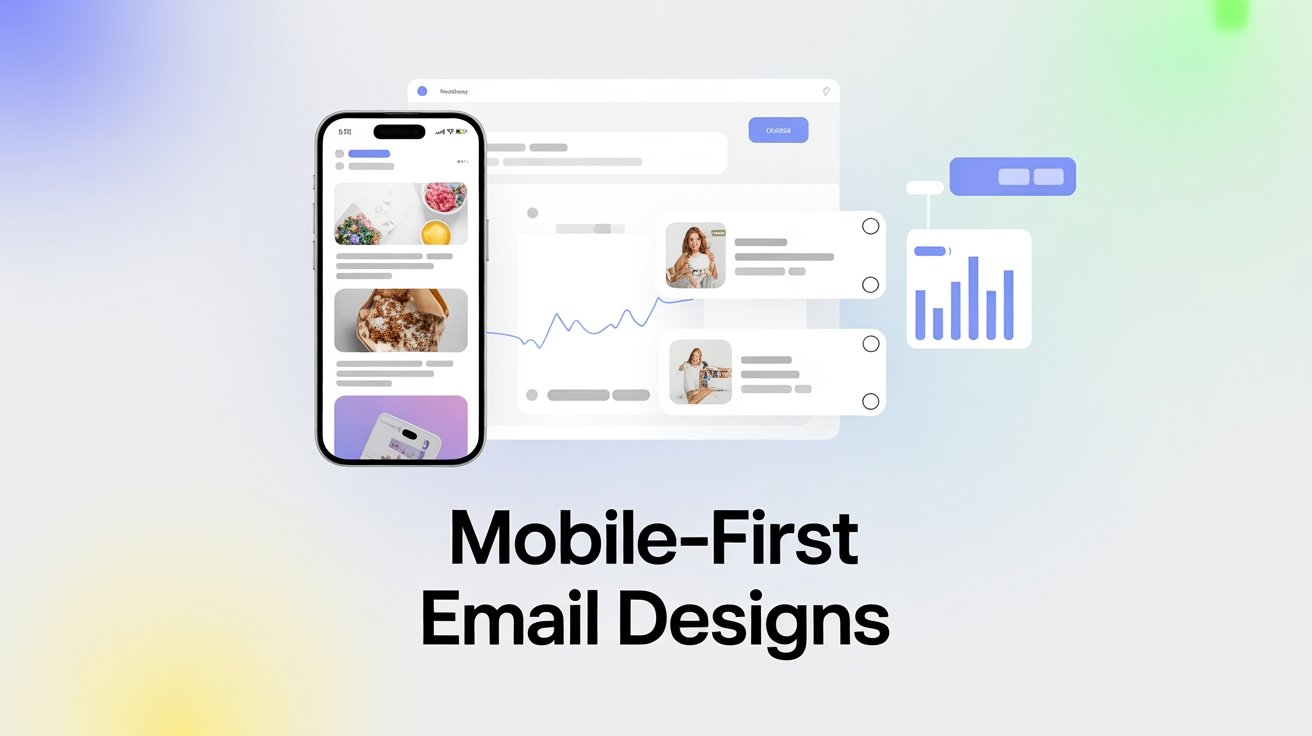


To create effective mobile-first email templates, prioritize a single-column layout, large CTA buttons, and ample white space for clarity. Use a minimum 14px font size and high-contrast color schemes to enhance readability. Implement responsive design techniques and guarantee CTAs are touch-friendly with adequate spacing. Regularly test your emails on various devices to troubleshoot any issues and optimize user engagement. There’s much more to explore about maximizing email performance and staying ahead in mobile design trends.
Table of Contents
Key Takeaways
- Implement a single-column design to eliminate horizontal scrolling and enhance navigation on mobile devices.
- Use large CTA buttons (at least 44px tall) with sufficient spacing to improve user interaction and prevent accidental clicks.
- Optimize typography with a minimum font size of 14px for body text and 20px for headings, ensuring readability on small screens.
- Apply responsive design techniques, including fluid grids and media queries, to ensure emails adapt seamlessly to various screen sizes.
- Conduct thorough testing across devices and utilize A/B testing to refine designs based on user engagement and performance metrics.
Understanding the Importance of Mobile-First Design
As more people check their emails on mobile devices than ever before, understanding the importance of mobile-first design becomes essential for effective communication.
You need to prioritize user experience, ensuring your emails are visually appealing and easy to navigate on smaller screens. Mobile accessibility isn’t just a trend; it’s a necessity.
If your emails aren’t optimized for mobile, you risk losing engagement and frustrating your audience. By adopting a mobile-first approach, you can create content that’s not only readable but also actionable, making it easier for recipients to respond.
Remember, a seamless experience on mobile devices can greatly enhance your email campaign’s success. Additionally, implementing automation and analytics tools can further optimize your email strategies for better outcomes.
Key Elements of Mobile-Optimized Email Layout
A well-structured layout is essential for mobile-optimized emails.
You want your content to be easily digestible and visually appealing, especially on smaller screens.
Here are three key elements to enhance your email layout and guarantee mobile accessibility:
- Single Column Design: Keep your content in a single column to eliminate horizontal scrolling and enhance readability.
- Large CTA Buttons: Use buttons that are at least 44px tall to make tapping easy for users, improving engagement.
- Ample White Space: Incorporate white space to prevent clutter, allowing readers to focus on the important elements without feeling overwhelmed. Additionally, following mobile-optimized best practices can further enhance user experience and engagement.
Choosing the Right Typography for Small Screens
When you’re designing emails for small screens, choosing the right typography is essential. You’ll need to pay attention to font size and line spacing to guarantee readability. A well-structured text can make a big difference in how your message is received. Additionally, ensuring that your email design follows clear error messaging can help improve user experience and accessibility.
Font Size Guidelines
How can you guarantee your emails remain legible on small screens?
Start by implementing effective font scaling strategies.
Here are three essential guidelines to enhance readability:
- Minimum Font Size: Use at least 14px for body text to secure clarity and ease of reading.
- Hierarchy Matters: Make headings 20px or larger to create clear visual separation and guide your readers.
- Contrast is Key: Choose a color scheme that provides high contrast between text and background for better visibility.
Line Spacing Importance
Effective line spacing can greatly impact readability on small screens. When you choose the right line height, you’re enhancing the user experience, making it easier for recipients to absorb your content.
Aim for a line height of 1.4 to 1.6 times your font size; this provides the necessary breathing room for each line of text. Poor line spacing can create a cramped feeling, negatively affecting readability impact and design consistency.
Remember, consistent spacing throughout your email helps maintain a polished look and keeps readers engaged. Test your designs on various devices to verify that your typography remains legible and visually appealing.
Utilizing Responsive Design Techniques
Have you ever wondered why some emails look great on your phone while others don’t?
The secret lies in utilizing responsive design techniques. By incorporating responsive frameworks, you guarantee your emails adapt effortlessly to various screen sizes, enhancing mobile compatibility. This is crucial for user empowerment as it enhances confidence in software choices.
Here are three key elements to focus on:
- Fluid Grids: Use percentage-based widths to allow elements to resize based on the screen.
- Flexible Images: Enhance images to scale according to the device, guaranteeing they look crisp and clear.
- Media Queries: Apply CSS rules that target specific devices, adjusting layouts and styles for an ideal viewing experience.
Crafting Engaging Visuals for Mobile Users
When crafting visuals for mobile users, you need to prioritize simple layouts that make navigation easy.
By keeping your design clean, you can enhance user experience and engagement.
Don’t forget to optimize image sizes to guarantee quick loading times and smooth performance on smaller screens. Additionally, implementing software solutions can help streamline your design process and improve overall efficiency.
Prioritize Simple Layouts
A simple layout can greatly enhance the mobile email experience, making it essential for designers to prioritize clarity and ease of navigation.
By focusing on layout consistency, you’ll improve the user experience and keep readers engaged. Here are three key elements to reflect on:
- Single-column format: This allows for easy scrolling and reading on smaller screens.
- Bold headings: Use clear, prominent headings to guide users through your content effortlessly.
- Ample white space: This helps to avoid clutter and directs attention to your call-to-action buttons.
Incorporating these elements not only simplifies your design but also guarantees that your message comes across effectively, leading to higher engagement rates.
Optimize Image Sizes
While a simple layout sets the foundation for an effective email, optimizing image sizes enhances the overall visual appeal, particularly for mobile users.
To achieve this, utilize image compression techniques that reduce file sizes without sacrificing quality. This guarantees your emails load quickly, keeping your audience engaged.
Additionally, consider using responsive image formats like WebP or SVG, which adapt seamlessly to various screen sizes, providing a better user experience.
By implementing these strategies, you’ll not only improve loading times but also guarantee your visuals look crisp and professional.
Simplifying Navigation in Mobile Emails
To guarantee your mobile emails engage recipients effectively, simplifying navigation is essential. Complicated layouts can frustrate users, so consider these strategies:
- Swipe Navigation: Allow users to easily swipe through content, making it more interactive and fluid.
- Dropdown Menus: Use dropdown menus to keep options organized without overwhelming the screen. This keeps your design clean and user-friendly.
- Large Touch Targets: Ascertain buttons are large enough for fingers to tap easily, minimizing frustration and enhancing user experience. Additionally, ensuring user navigation is intuitive can significantly improve engagement rates.
Prioritizing Content Hierarchy for Mobile Engagement
When designing emails for mobile, it’s vital to prioritize your content hierarchy.
Start with essential information that grabs attention first, then balance it with visual elements to enhance engagement.
This approach guarantees your audience quickly grasps the message without feeling overwhelmed.
Essential Information First
As mobile users often skim through emails at lightning speed, prioritizing essential information right at the top becomes critical for effective engagement.
To capture attention and boost user engagement, focus on these three key elements:
- Headline: Craft a compelling subject line that hints at the value inside.
- Call to Action (CTA): Place a clear and enticing CTA early on to guide users on what to do next.
- Essential Content: Present the most important information succinctly—think promotions, deadlines, or updates.
Visual Elements Balance
While you might be tempted to fill your email with eye-catching visuals, striking a balance between images and text is crucial for maintaining content hierarchy, especially on mobile devices.
Too many visuals can overwhelm your audience and distract from your message. Aim for visual consistency by using a cohesive color palette and typography that enhances readability. This creates aesthetic harmony, guiding your readers’ eyes to the most important elements.
Prioritize essential content first, and use images to complement your message rather than overshadow it. Remember, on smaller screens, less is often more.
Incorporating Touch-Friendly Call-to-Actions
To guarantee your email campaigns are effective, incorporating touch-friendly call-to-actions (CTAs) is essential.
You want your audience to easily engage with your content, so focus on a finger-friendly design. Here are three key elements to evaluate:
- Touch Target Size: Confirm your CTAs are at least 44×44 pixels, allowing users to tap without frustration.
- Spacing: Maintain ample space between buttons and surrounding elements to prevent accidental clicks.
- Contrast: Use bold colors for your CTAs to make them stand out against your email background, drawing attention immediately.
Testing and Optimizing for Different Devices
Since your audience accesses emails on various devices, testing and optimizing for different screens is essential for ensuring a seamless experience.
Use reliable testing tools to preview how your emails look on smartphones, tablets, and desktops. This approach helps you identify layout issues or broken links before sending your campaigns.
Always prioritize device compatibility; emails should render correctly, regardless of the platform. Send test emails to yourself and colleagues to gather feedback on usability and aesthetics.
Additionally, consider using A/B testing to refine your designs based on real user interactions.
Analyzing Mobile Email Performance Metrics
Understanding how your emails perform on mobile devices is essential for optimizing your campaigns. By diving into mobile email analytics, you can uncover valuable insights that drive better results.
Here are three key performance benchmarks to focus on:
- Open Rates: Track how many recipients open your emails on mobile to gauge interest and engagement.
- Click-Through Rates (CTR): Measure the percentage of users who click links in your emails, revealing how effective your content is.
- Conversion Rates: Analyze how many mobile users complete desired actions, helping you evaluate the overall success of your campaigns.
Staying Updated With Mobile Design Trends
As mobile technology evolves rapidly, keeping up with the latest design trends is essential for creating effective email campaigns.
You should regularly explore platforms like Dribbble and Behance for fresh design inspiration. Following industry leaders on social media can also help you stay informed about current trends.
Pay attention to color palettes, typography, and layout styles that resonate with your target audience. Don’t forget to test your designs on various devices to guarantee they look great everywhere.
Frequently Asked Questions
What Are Common Mistakes in Mobile Email Design?
Common mistakes in mobile email design include using small font sizes that are hard to read and inadequate touch targets that frustrate users. Confirm your text is legible and buttons are easily tappable for better engagement.
How Do I Ensure My Email Loads Quickly on Mobile?
To guarantee your email loads quickly on mobile, optimize images like a pro! Reduce file sizes, use the right formats, and prioritize loading speed. Your readers will thank you while scrolling through your masterpiece!
Can I Use GIFS in Mobile Emails?
Yes, you can use GIFs in mobile emails! They can enhance mobile engagement, making your content more dynamic. Just make certain the file size is optimized for faster loading and a smooth user experience on smaller screens.
What Email Clients Support Mobile-Responsive Design?
Most popular email platforms, like Gmail, Outlook, and Apple Mail, support mobile compatibility. Think of these clients as agile performers, effortlessly adapting your designs for any screen, ensuring your emails shine wherever they land.
How Often Should I Update My Mobile Email Templates?
You should update your mobile email templates every 6 to 12 months. Regular design refreshes guarantee template longevity, keeping your emails visually appealing and aligned with current trends and user expectations. Don’t let them become outdated!
Conclusion
In the fast-paced world of mobile communication, your email design should flow like a gentle river, effortlessly guiding readers to their destination. By embracing mobile-first templates, you’re not just adapting; you’re painting a vivid picture that resonates with your audience. Each element, from typography to call-to-actions, plays a vital role in this masterpiece. So, keep your designs fresh and responsive, and watch your engagement soar like a kite in the wind, dancing above the rest.









